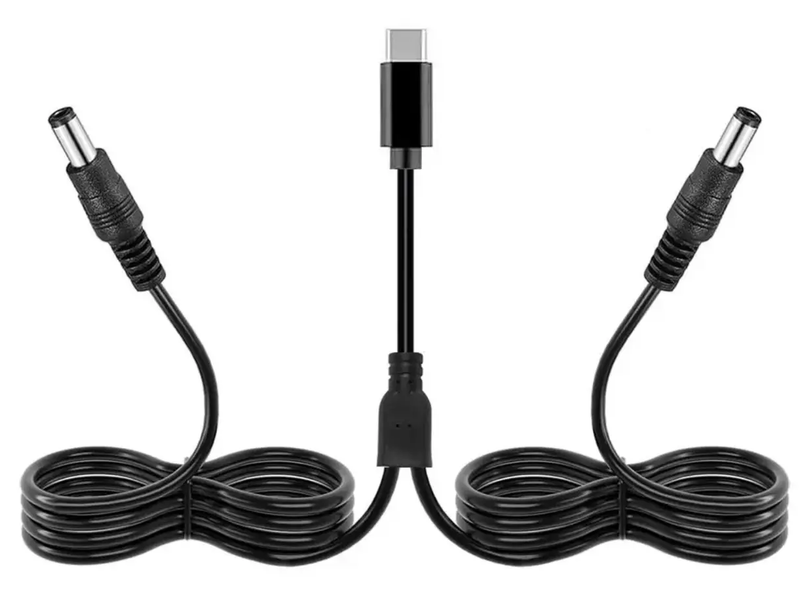
Type-C to 2×DC 5.5×2.5 (5.5×2.1) (12V) adapter cable with a PD trigger.
This universal cable features a PD trigger and provides two DC outputs (12V). It allows you to power devices using a charger that supports the Power Delivery (PD) protocol. For instance, during a power outage, you can use a power bank to power two devices simultaneously—such as a router and an optical network terminal (ONT)—enabling you to stay connected to the internet (provided the service provider continues to supply a signal to your router).
Please note! To use this trigger cable, you need a power bank or power adapter that supports the Power Delivery (PD) fast-charging protocol and is capable of outputting 12V (e.g., a power bank with a Type-C PD output supporting 5/9/12V, etc.). Most power banks with a capacity of 20W or higher support this mode. Additionally, all power adapters utilizing GaN (Gallium Nitride) technology support this charging protocol.
Unlike cables equipped with a voltage converter, this trigger does not actively convert voltage; instead, it selects the appropriate voltage from the options available on the charger. This approach helps conserve the power bank's battery life.
How does it work?
A PD trigger is a power connector with an integrated circuit board that emulates (or simulates) the Power Delivery fast-charging protocol. Using this connector along with a Power Delivery-compatible power cable, your power banks or power adapters that support the Power Delivery (PD2.0/PD3.0) charging protocol will output the specific voltage for which the trigger is programmed—in this case, 12V. Without such a trigger, a power bank or adapter defaults to a standard 5V output; the trigger is designed to bypass this limitation. With this trigger, you can power any household device that operates on 12V and features a 5.5 x 2.5 mm power input jack. Examples include Wi-Fi routers, radios, soldering irons, LED strips, fans, audio equipment, and various other devices.
It is recommended to select a cable with specifications that match your device. The required voltage is typically indicated on the bottom panel of the device, labeled as "Input."